10 capabilities, grouped by the task they serve rather than by how they
are built. Some depend on the plan your station is on.
Live message dashboard
Find what should go on air next
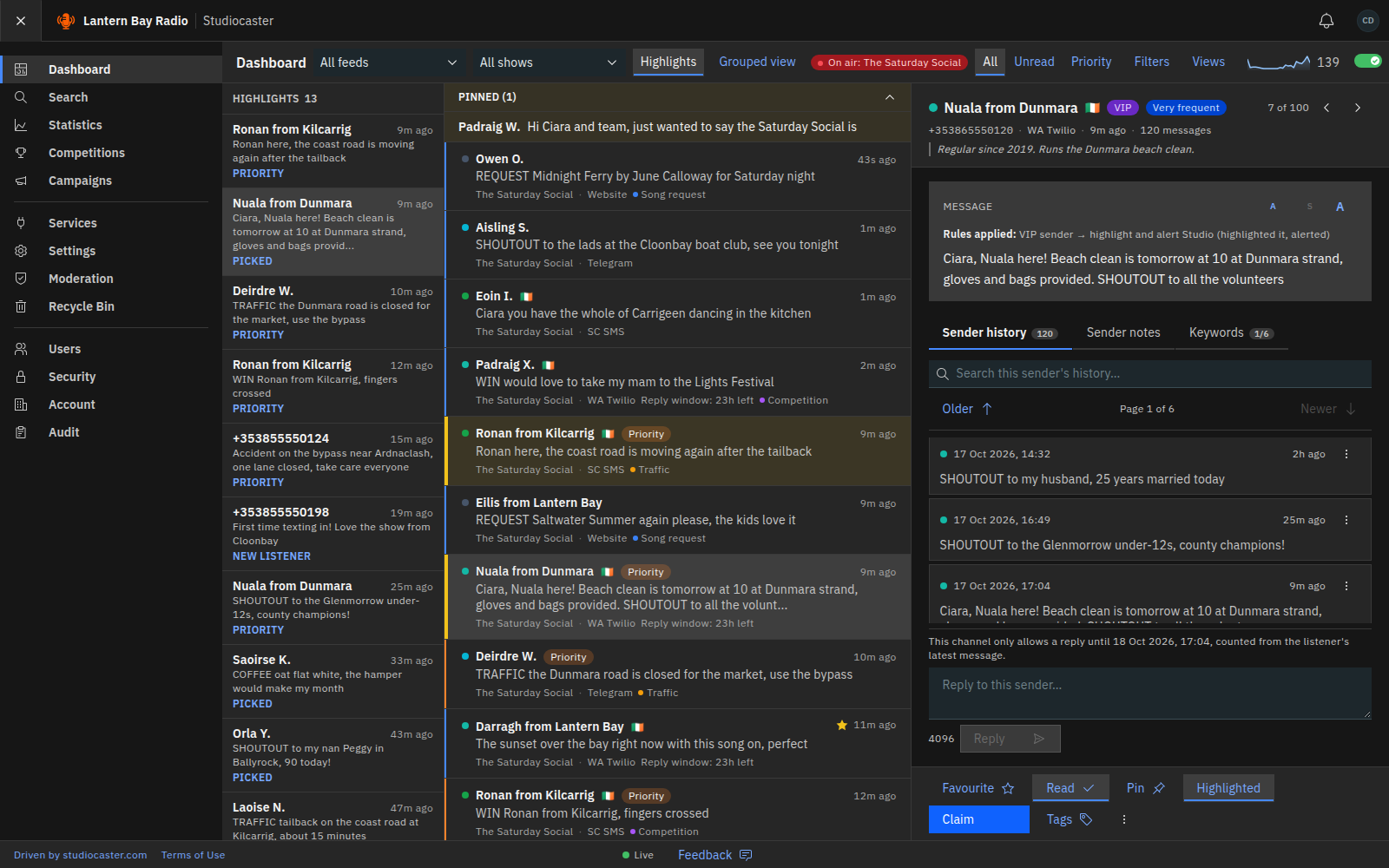
Every listener message appears in real time in a single stream, tagged with the show on air. Filter by show, service, keyword, priority or sender, and work the queue with keyboard shortcuts rather than a mouse. When a phone-in floods the lines, a grouped view folds repeats per listener and a highlights column keeps the picks in sight.
- Real-time stream across every connected channel
- Filter by show, service, keyword, priority or sender
- Keyboard shortcuts for moderation
- Grouped view, live tallies and a backlog bar for busy periods
- A highlights column for the messages the presenter needs next
A screener can keep pace with a live show and surface the useful message before the moment passes.
Multi-channel ingestion
Give every channel the same broadcast workflow
SMS, WhatsApp, X, Messenger, Telegram, Signal, email and a website widget are collected into one stream, in the order they arrive. Adding a channel does not change how your team works.
- Eight channels, one operational stream
- Per-service routing so shows stay separate
- A website widget in the station’s own logo, colours and wording
- Replies to listeners where the channel allows it
Channels remain visible as context without dictating how the studio team works.
Content safety
Screen before anything reaches the microphone
Before anyone sees a message, banned senders are hidden and expletives are masked. Links are never clickable, email attachments are virus-checked before they can be opened, and each role sees only the content the station allows it. Every moderation action is written to an audit trail.
- Automatic expletive masking
- Ban a sender for a set time or permanently, with a reason
- Links shown as plain text, never as links
- Virus-checked email attachments
- Every action audited and attributable
A presenter can read from the queue knowing it has been screened.
Smart rules and autoresponders
Let the routine decisions make themselves
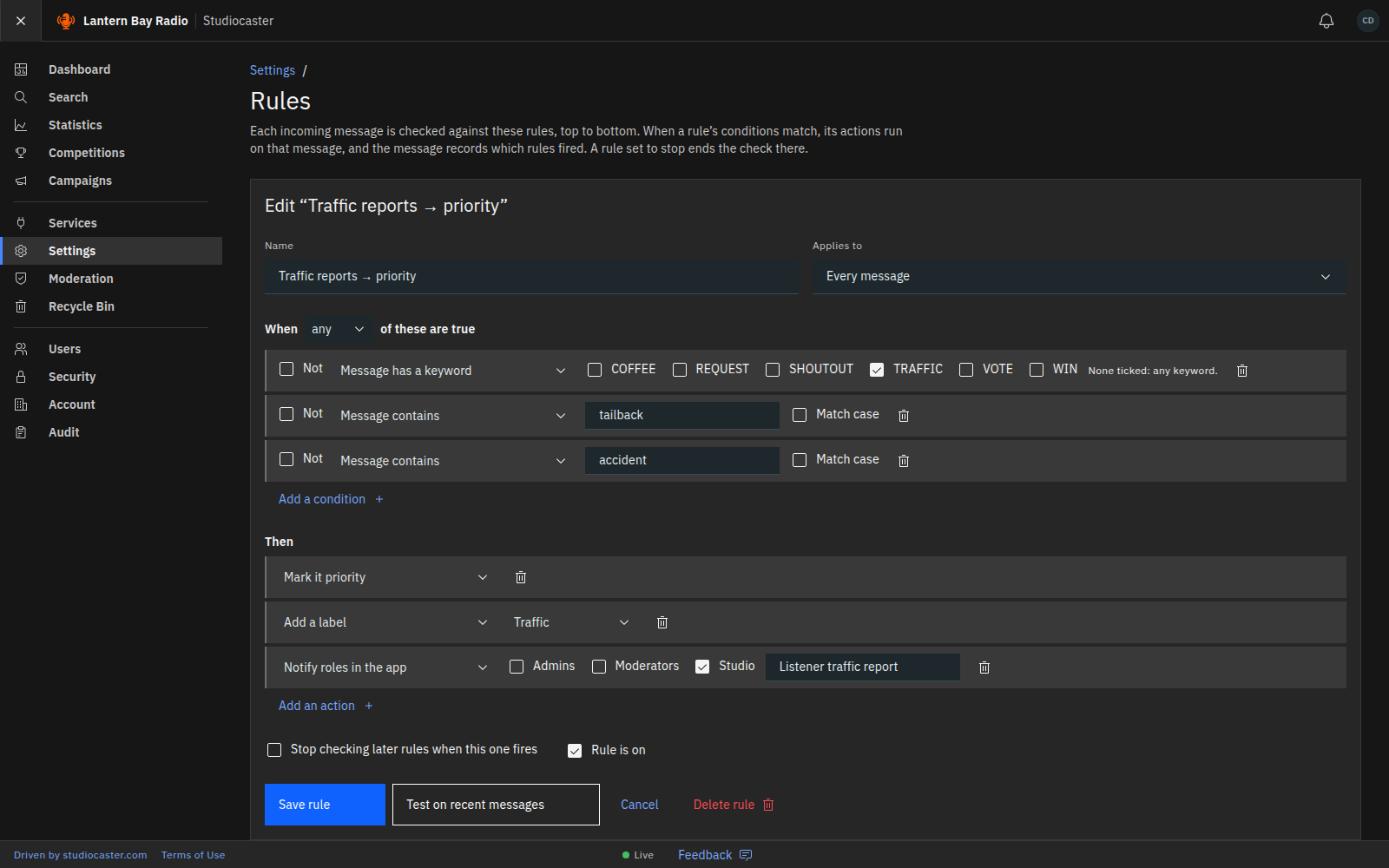
Rules run on every incoming message: when a condition matches — a keyword, a sender’s history, a channel, the show on air, the time of day, sentiment — the action follows. Highlight it, alert a role, add a label, hide it, ban the sender, email the team or send it to the station’s own systems. Autoresponders answer listeners privately on a first message, a keyword or outside show hours, within a daily cap the station sets.
- Condition → action rules, in the order you set
- Test a rule against the last 200 messages before it goes live
- First-time listener alerts, by role
- Automatic replies with a daily cap and a cost estimate
- Signed webhooks to the station’s own systems
The producer stops doing the same five clicks a hundred times a show.
Shows and schedules
Know which show every message belongs to
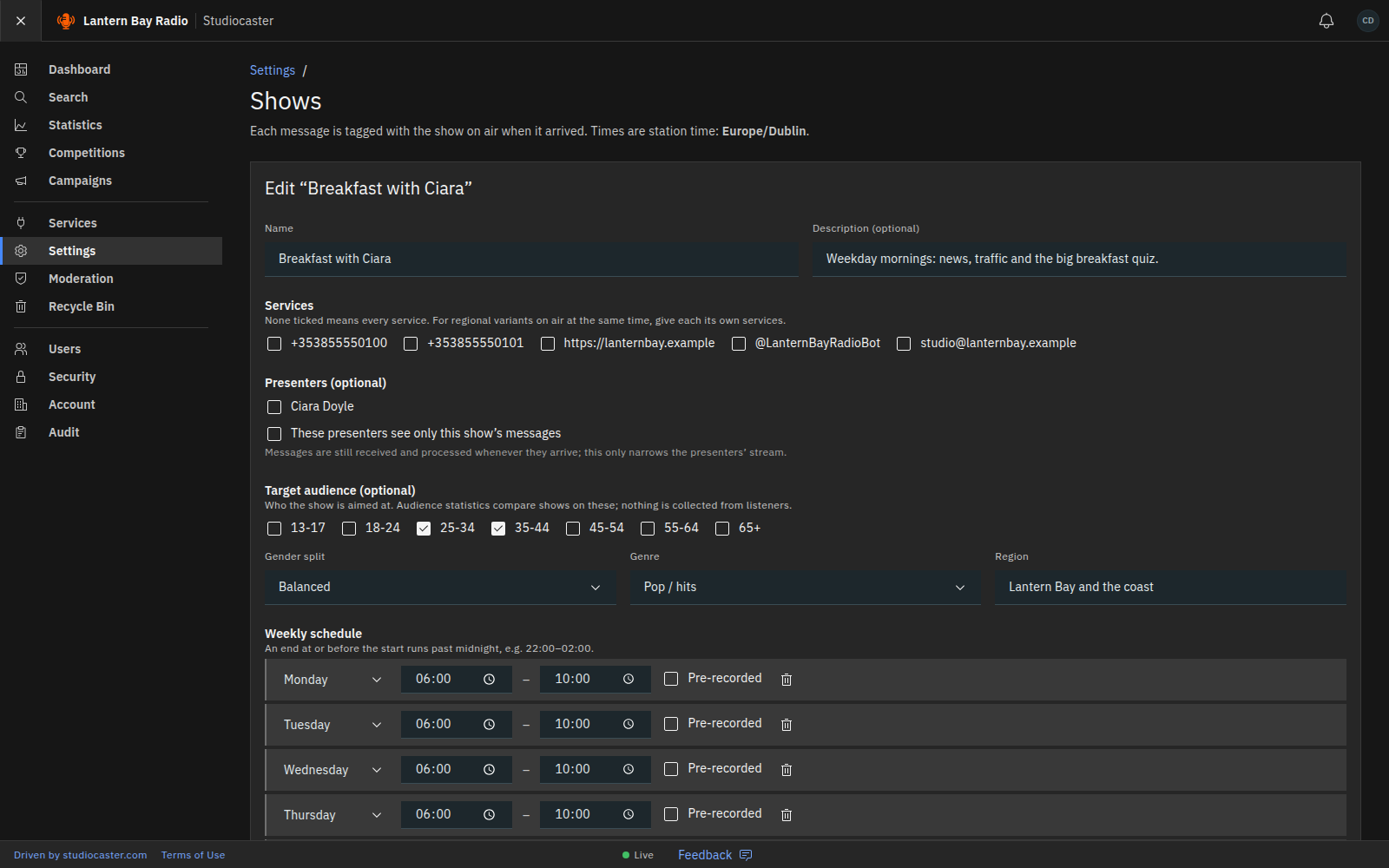
Set up each show with its services, presenters and weekly slots in the station’s timezone, including shows that run past midnight, off-air dates and one-off extras. Each incoming message is tagged with the show on air, and a show can limit its presenters to its own messages.
- Weekly slots, off-air dates and one-off extras
- “On air” indicator and a show filter on the dashboard
- Presenters limited to their own show where needed
- Target audience recorded per show
A presenter sees their show’s messages, and the manager can compare one show with another.
Competitions and voting
Run a live competition without losing control
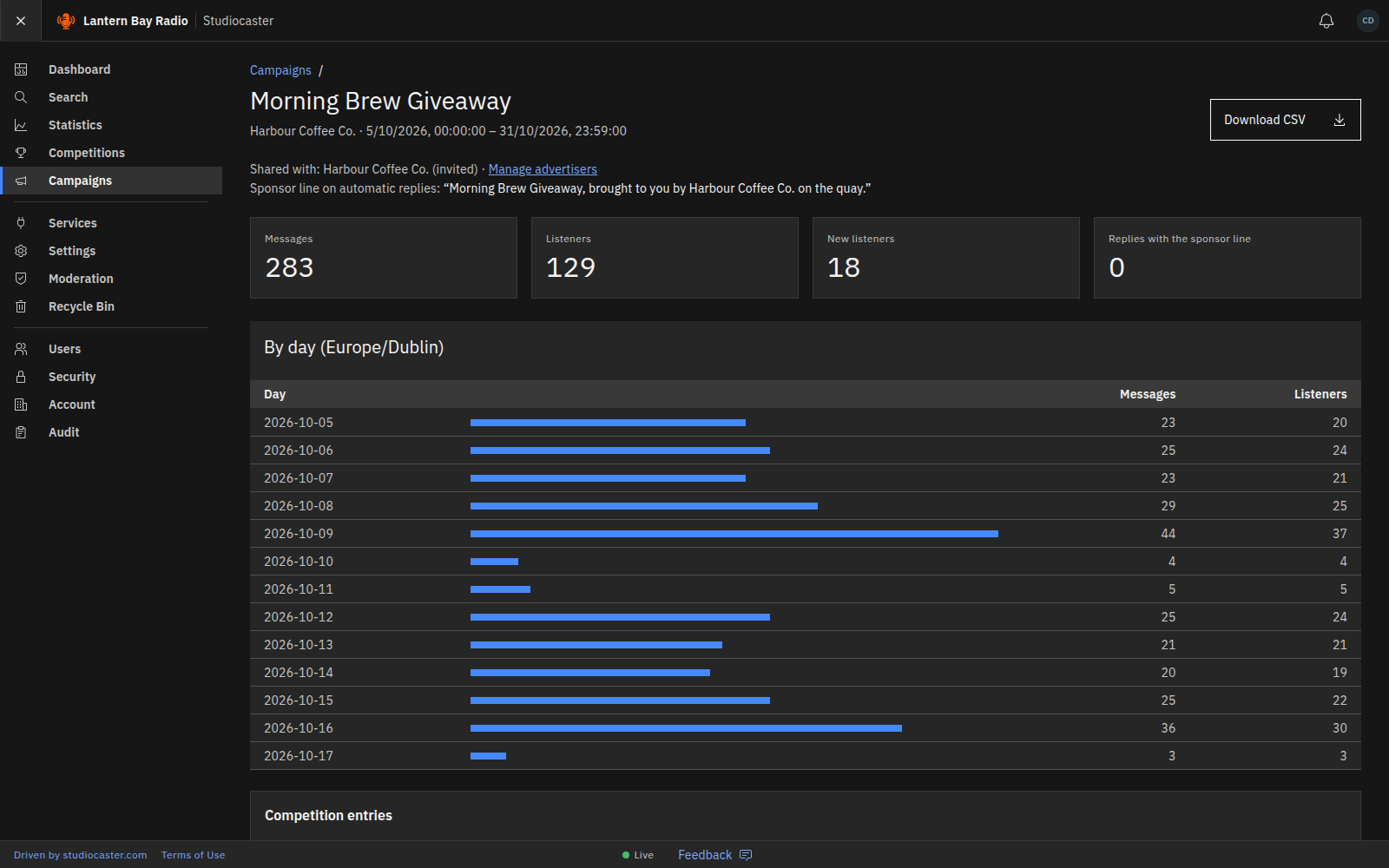
Competitions trigger on a keyword, belong to a show if you want them to, and move through their states automatically. Draw a winner and watch votes tally live, without leaving the dashboard.
- Keyword-triggered entry
- Automated state transitions
- Winner selection from valid entries
- Live vote tallies
- Winner details shared with a sponsor only after consent is recorded
The producer runs the competition from the same screen as the show.
Search and audience analytics
Account for what happened after the show
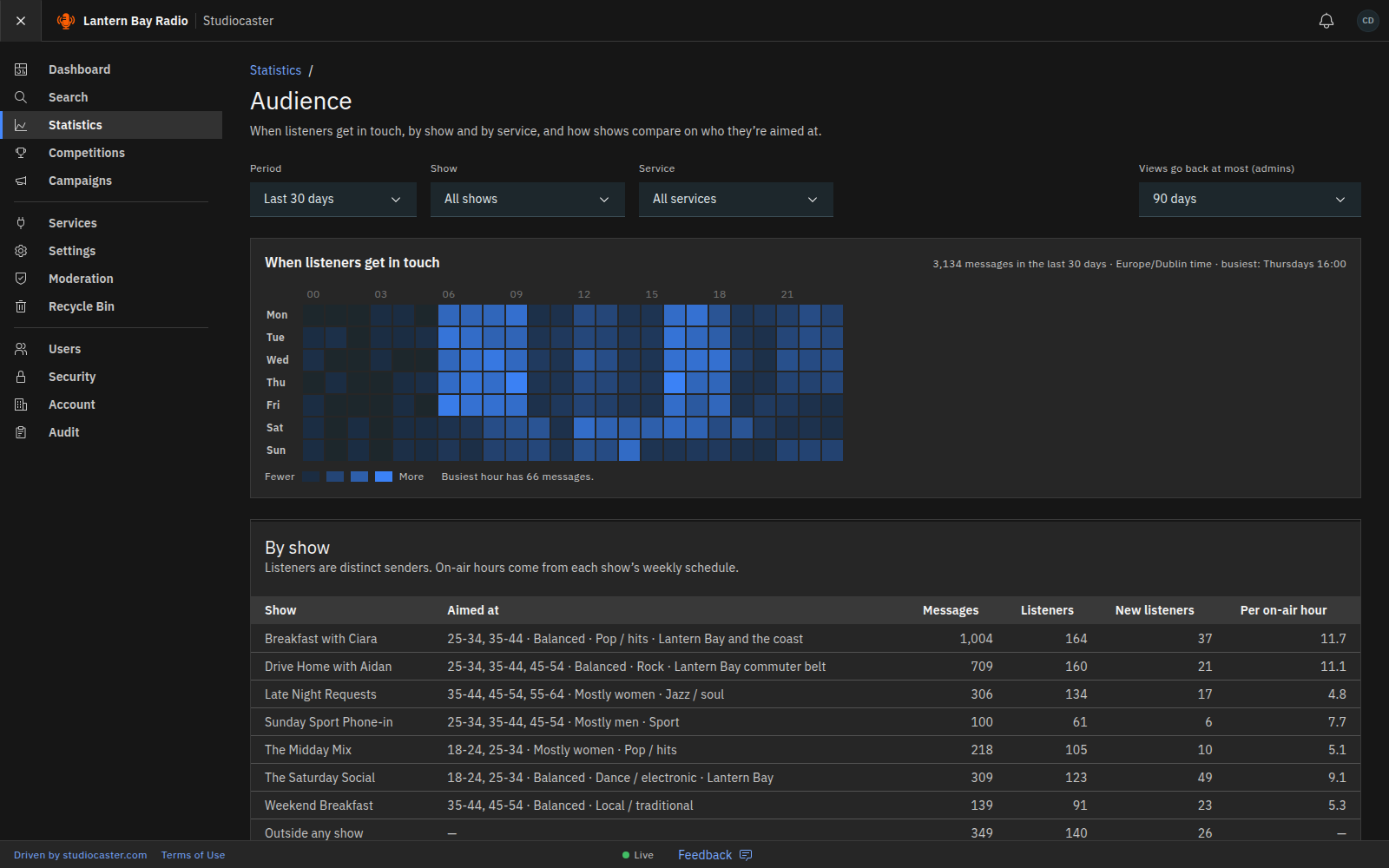
Search every message with advanced filters. A weekday-by-hour heatmap shows when the audience is listening and getting in touch, per show and per service, alongside time-series volume, top senders and country breakdowns. Sentiment analysis, through the station’s own provider, can mark how listeners feel.
- Full message search with advanced filters
- Weekday-by-hour heatmap, per-show activity and comparisons
- Sentiment analysis with Google Cloud, Azure AI or Anthropic Claude
- CSV export
A manager can evidence audience response without asking for a report.
Station branding
Make it look like your station, not ours
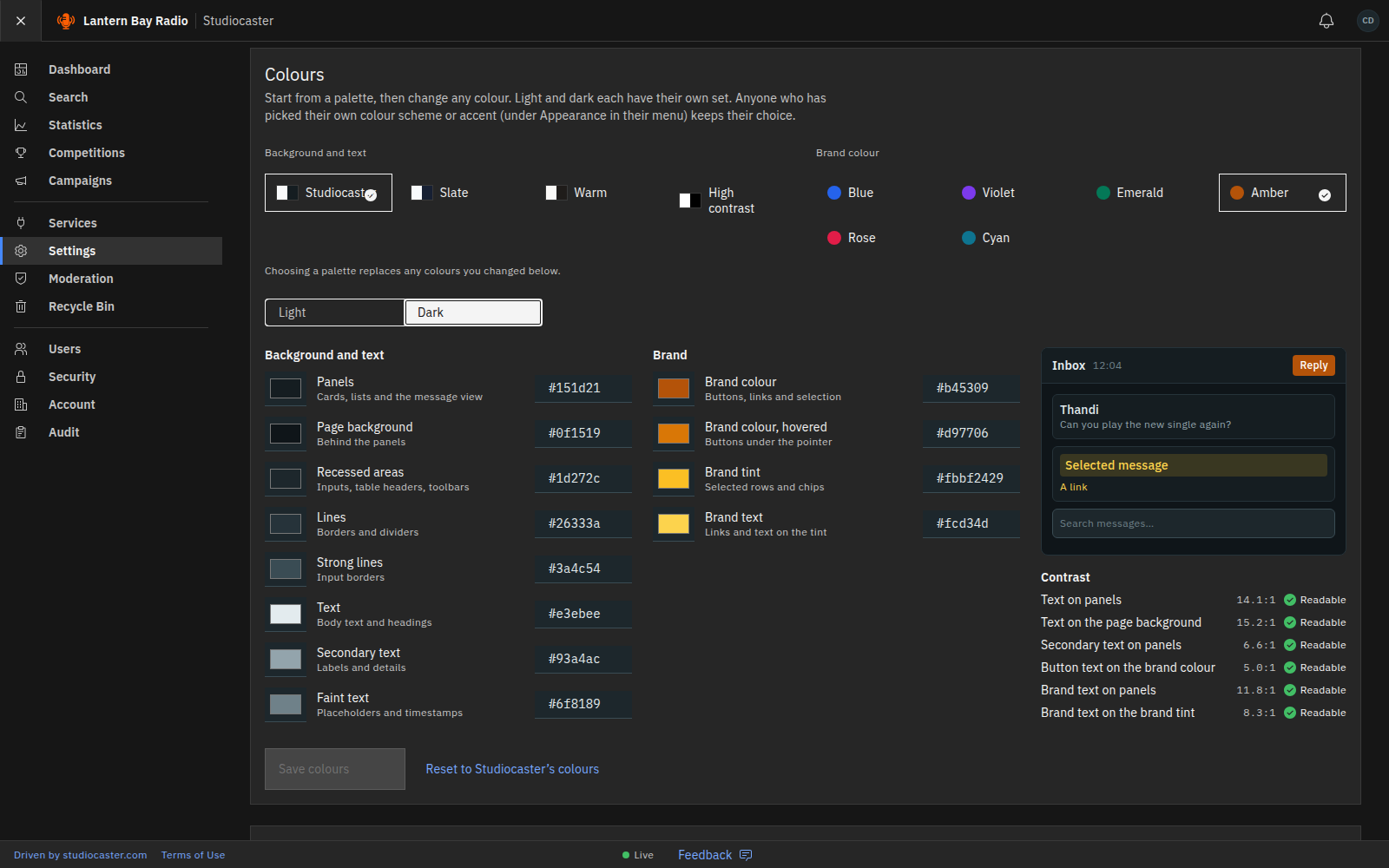
Each station gets its own address, such as yourstation.studiocaster.app, with a sign-in page in its own name, logo and colours. Light and dark palettes are adjustable with contrast checks, and email replies go out in the station’s own header and footer.
- A station address and branded sign-in page
- Station colours for light and dark, with contrast checks
- Branded email header and footer
- White-labelling on plans that include it
Staff, listeners and advertisers see the station’s brand at every touchpoint.
Accounts and roles
Give each person exactly what they need
Each station has its own account with Admin, Moderator and Studio roles. A Studio account can only do what someone else can undo, and the station can grant individual Moderator abilities without promoting anyone. Subscription tiers set the feature access and limits that apply.
- Isolated account per station
- Admin, Moderator and Studio roles
- Individual abilities granted without a promotion
- Deleted messages go to a recycle bin
- Tier-based feature access and limits
A presenter cannot break anything mid-show, because nothing they can do is permanent.